


Which Antivirus Features Matter Most to PC Gamers?
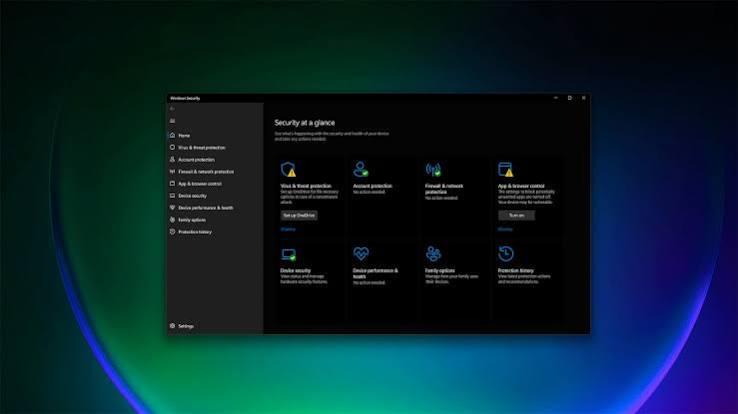
Antivirus shopping becomes confusing when every product offers a long list of extras. A gaming label, a colorful dashboard, and a bundled VPN may sound useful, yet none independently explains how well the software fits your computer. Begin with the protection and controls you will actually rely on. A useful evaluation separates essential security, interruption management, and optional services. This makes comparisons clearer and helps prevent paying for features you already have elsewhere. It also encourages a practical question: can you understand what the product is doing and respond sensibly when it detects a problem?
Reliable Protection and Clear Status
Look for active malware protection, current security updates, and a status screen that clearly shows whether those functions are working. A product should make unresolved threats and update failures understandable. An interface that looks reassuring while hiding important problems creates unnecessary uncertainty for the owner. When comparing antivirus software for gaming pc, ask how the software handles a suspicious download and where you can inspect the result. You should be able to identify the affected file, understand the action taken, and find the vendor's support process without being pressured into restoring something you have not verified.
Usable Detection Information
A detection name alone may not tell you whether the problem came from a mod archive, a browser download, or another application. Useful records provide enough context to investigate the event. Keep the distinction between a warning, a blocked action, and confirmed infection clear when reading the interface. False positives can occur, but a file being associated with a popular game does not establish that a warning is mistaken. Prefer a vendor with a documented submission and review process. The safe response is verification through official channels, rather than adding broad exclusions until the alert disappears.
Predictable Background Activity
Performance matters during more than a match. Consider installation, startup, large game downloads, patching, and file extraction. A product may feel light during idle browsing but use noticeably more resources when inspecting many new files. Test the activities that make up your actual gaming routine. Measure several repeatable sessions with the same game settings and background applications. Look for consistent changes in loading behavior and frame pacing, rather than trusting one average frame rate. No provider can promise zero overhead across every hardware configuration, game engine, and workload you might use.
Meaningful Notification Controls
A gaming mode should have an explanation you can inspect. Determine whether it suppresses promotional notices, delays scheduled scans, changes update behavior, or performs some other function. The name alone does not establish the implementation, and different plans from one vendor may behave differently. Check how urgent security events appear while the mode is active and how you review them afterward. Quiet protection still needs a clear route to important information. Look for control over routine marketing prompts so an otherwise capable product does not become a persistent source of distraction.
Useful Web and Account Features
Browser protection can provide another opportunity to block suspicious websites, but it should complement careful browsing. Inspect which browsers are supported and whether an extension is required. Avoid assuming that every link opened inside a launcher or chat application receives exactly the same checks. A password manager may be valuable if you do not already use one, while a VPN serves a different purpose from antivirus. Compare these extras on their own terms, including device support, limits, and renewal conditions. Their presence does not establish stronger malware detection or guarantee a faster connection.
Recovery Beyond Prevention
Ask what happens when prevention is insufficient. Understand quarantine, support availability, and any documented recovery features before a problem occurs. Marketing about ransomware protection should not replace an independent backup plan for saves, recordings, work documents, and other files that share the gaming computer. Test a small restoration from your chosen backup method. Make sure that important local game files are included and that you can recover them without relying solely on the affected device. A recovery plan has practical value only when its permissions, storage location, and restoration steps are understood. Check whether support remains available during the hours you usually play games.
A Purchase That Remains Manageable
The phrase best antivirus software for gaming pc describes a comparison goal, not a universal winner. Rank the capabilities that matter to your setup, eliminate products that fail essential requirements, and try a suitable candidate under ordinary conditions. Confirm current plan details directly with the vendor before paying. Include renewal pricing, supported devices, cancellation terms, and the effort needed to manage the product. More features are useful only when they solve a problem without creating excessive complexity. Choose protection you can keep updated, interpret confidently, and leave active throughout everyday gaming instead of repeatedly adjusting it around marketing promises.

 Arabic
 French
 Spanish
 Portuguese
 Deutsch
 Turkish
 Dutch
Dutch
 Italiano
 Russian
 Romaian
 Portuguese (Brazil)
 Greek
Greek
