


Cisco Switches: Types, Features, Benefits & Buying Guide
Introduction
Reliable network connectivity is essential for businesses that depend on fast communication, secure data transfer, and uninterrupted operations. Whether connecting office computers, wireless access points, servers, or data centre equipment, organisations need networking hardware that can handle demanding workloads.
Cisco switches provide reliable, secure, and scalable network connectivity for businesses of different sizes. They connect devices within a local area network and help manage data traffic efficiently.
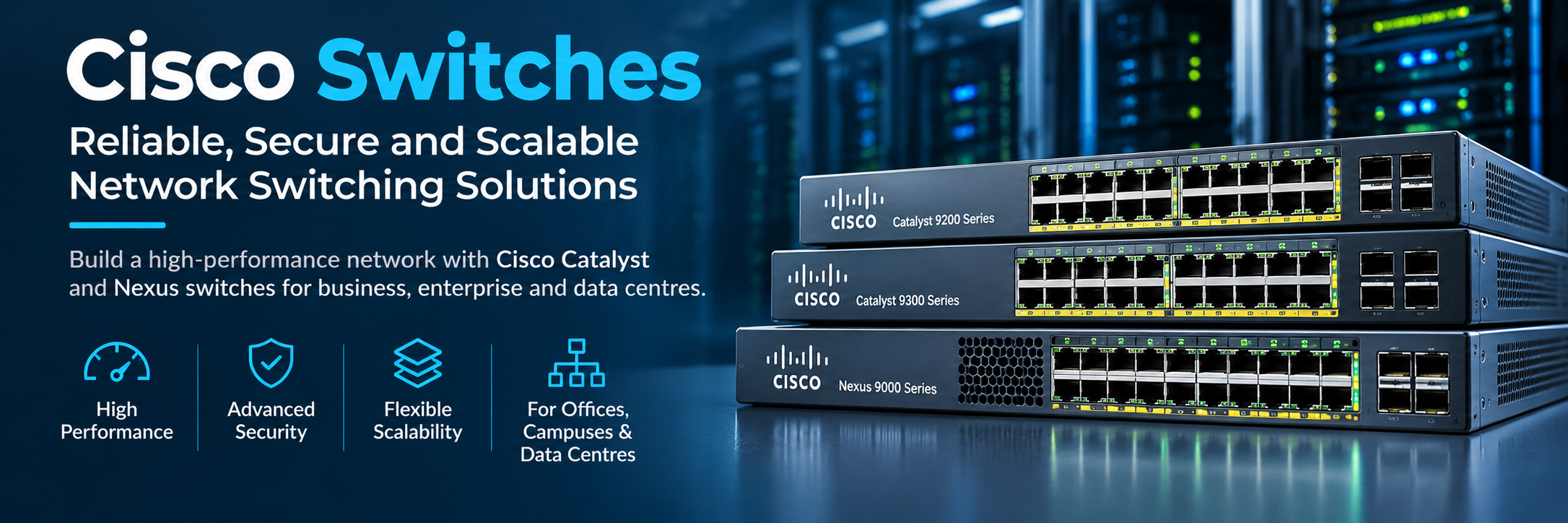
From Cisco Catalyst switches designed for enterprise campuses to Cisco Nexus switches built for data centres, Cisco offers a wide range of networking solutions.
Understanding the different types, features, and applications of Cisco switches helps businesses select suitable hardware, improve network performance, and prepare for future growth.
What Are Cisco Switches?
Cisco switches are networking devices that connect computers, servers, printers, access points, and other devices within a network.
They receive Ethernet frames and forward them to the appropriate destination based on network information, such as MAC addresses.
Unlike basic network hubs, switches direct traffic between specific connected devices, helping reduce unnecessary data transmission.
Cisco offers both Layer 2 and Layer 3 switching capabilities, depending on the model.
Layer 2 switches primarily forward traffic within local networks, while Layer 3 switches can also route traffic between different IP networks.
Businesses use Cisco switches to establish reliable communication between employees, applications, and connected infrastructure.
Why Cisco Switches Are Important for Business Networks
Modern organisations depend on stable network connectivity to access business applications, share information, and communicate across departments.
Poor network performance can affect productivity, application responsiveness, and everyday operations.
Reliable Network Performance
Cisco switches support different Ethernet speeds and switching capacities to accommodate various workloads.
Depending on the model, connections may include Gigabit Ethernet, multigigabit Ethernet, 10 Gigabit Ethernet, and higher-speed interfaces.
Selecting suitable switching equipment helps businesses reduce network bottlenecks and support consistent data transmission.
Network Security
Many managed Cisco switches support features such as VLANs, access control lists, and port-level security.
These technologies allow administrators to separate network traffic and manage connectivity between authorised devices.
Security capabilities vary by platform, software version, and licensing.
Scalable Infrastructure
Businesses can expand their networks by deploying additional switches or selecting compatible stacking and modular platforms.
This flexibility helps organisations accommodate more users, devices, and applications without completely redesigning their infrastructure.
Types of Cisco Switches
Cisco offers several switch families designed for different networking environments.
Cisco Catalyst Switches
Cisco Catalyst switches are widely used in enterprise campus, branch office, and access networking environments.
These switches provide connectivity for computers, phones, wireless access points, and other business devices.
Different Catalyst models offer management capabilities, Power over Ethernet, stacking, and Layer 3 features.
The Catalyst portfolio includes older platforms and newer enterprise switching families.
Cisco Nexus Switches
Cisco Nexus switches are primarily designed for data centre networking.
They support high-bandwidth connections between servers, storage platforms, and network infrastructure.
Nexus platforms are commonly used in environments requiring high port density, low-latency communication, and advanced data centre networking capabilities.
Cisco Small Business Switches
Cisco small business switching solutions are designed for organisations that need manageable networking equipment without the complexity of large enterprise deployments.
Depending on the model, these switches provide Gigabit connectivity, VLAN support, PoE, and straightforward configuration options.
They are suitable for offices, retail locations, and growing businesses.
Popular Cisco Catalyst Switch Series
Cisco Catalyst switches are available in multiple series with different capabilities and deployment requirements.
Cisco Catalyst 9200 Series
The Cisco Catalyst 9200 Series is designed for enterprise access networking in branches and campus environments.
These switches offer managed Ethernet connectivity, security capabilities, and selected stacking and uplink options.
Some configurations support Power over Ethernet for compatible wireless access points and IP phones.
The series is suitable for organisations requiring dependable access-layer networking.
Cisco Catalyst 9300 Series
The Cisco Catalyst 9300 Series provides enterprise access switching with higher performance and expansion options.
Depending on the model, features include multigigabit connectivity, PoE capabilities, stacking technologies, and high-speed uplinks.
These switches are frequently deployed in enterprise campus networks with demanding connectivity requirements.
Cisco Catalyst 9400 Series
The Catalyst 9400 Series provides modular chassis-based switching for enterprise campus environments.
Its architecture supports different line cards, supervisor configurations, and connectivity requirements.
Selected configurations provide redundancy and high-availability features.
The modular design makes these switches suitable for organisations requiring flexible access-layer infrastructure.
Cisco Catalyst 9500 Series
Cisco Catalyst 9500 switches are designed primarily for enterprise core and distribution networking.
These platforms provide high-performance connectivity and Layer 3 routing capabilities.
Depending on the model, they support high-speed Ethernet interfaces and advanced network services.
They are commonly used where multiple network segments require reliable aggregation.
Cisco Nexus Switches for Data Centres
Data centres require high-performance networking equipment capable of supporting large numbers of connected systems.
Cisco Nexus 9000 Series
Cisco Nexus 9000 switches support modern data centre networking architectures.
Depending on the platform and software configuration, they offer high-speed Ethernet interfaces, VXLAN capabilities, and support for scalable network designs.
These switches are commonly deployed in leaf-spine architectures that connect servers and other data centre infrastructure.
Cisco Nexus 3000 Series
Cisco Nexus 3000 switches focus on high-performance, low-latency networking.
Different models support demanding connectivity requirements in data centres and specialised computing environments.
Their suitability depends on interface speed, port density, software features, and application requirements.
Managed vs Unmanaged Cisco Switches
Businesses may encounter both managed and unmanaged switching equipment.
Managed Cisco Switches
Managed switches allow network administrators to configure, monitor, and control network traffic.
Depending on the model, administrators can configure VLANs, monitor port activity, manage security settings, and prioritise selected traffic.
These capabilities are particularly useful in enterprise environments requiring network segmentation and centralised administration.
Unmanaged Network Switches
Unmanaged switches generally provide basic plug-and-play connectivity without advanced configuration options.
They can be suitable for simple networking requirements where detailed traffic management is unnecessary.
Businesses requiring stronger control, monitoring, or network segmentation should consider suitable managed switching solutions.
Power over Ethernet in Cisco Switches
Power over Ethernet allows compatible networking equipment to transmit electrical power and data over Ethernet cabling.
PoE-capable Cisco switches can power supported devices such as wireless access points, IP phones, and security cameras.
Benefits of PoE Switching
PoE can reduce the need for separate power adapters near connected devices.
This can simplify installation in offices, warehouses, and commercial properties.
However, businesses must verify the switch's supported PoE standard, per-port power capability, and total available power budget.
Not every Cisco switch provides PoE functionality.
Cisco Switch Port Speeds and Connectivity
Cisco switches offer different port configurations depending on network requirements.
Gigabit Ethernet ports commonly connect desktop computers, printers, and other standard network devices.
Multigigabit ports can provide higher speeds for compatible devices, while 10G and faster connections are useful for uplinks, servers, and data centre infrastructure.
SFP and SFP+ Uplink Ports
Many Cisco switches include SFP or SFP+ interfaces for compatible transceiver modules.
These interfaces support fibre-optic or copper connections, depending on the module and switch specifications.
Businesses should verify transceiver compatibility, supported distances, cable requirements, and software support before purchasing.
Cisco Switches for Different Business Environments
Different organisations require different switching capabilities.
Small Business Networks
Small offices typically need reliable connectivity for computers, printers, wireless access points, and other devices.
Compact managed switches or suitable small business models can provide the required connectivity without unnecessary complexity.
Enterprise Campus Networks
Larger organisations often require higher port density, redundancy, network segmentation, and centralised management.
Cisco Catalyst enterprise switches can support these requirements across office buildings and campus environments.
Data Centre Networks
Data centres require high bandwidth, suitable port density, and scalable networking architectures.
Cisco Nexus switches can connect servers and storage platforms while supporting demanding application environments.
How to Choose the Right Cisco Switch
Selecting the correct switch requires evaluating current networking requirements and expected future growth.
Consider Port Count and Network Speed
Businesses should identify how many devices need physical network connections.
Common switch configurations include 8, 24, and 48 Ethernet ports, although availability varies by product family.
Required port speeds and uplink capacity are equally important.
Check PoE and Management Requirements
Organisations using IP phones, wireless access points, or supported cameras should consider PoE-capable models.
Businesses requiring VLANs, advanced monitoring, or routing features should verify the selected switch's management capabilities and software entitlements.
Verify Compatibility and Support
Switch specifications differ between product models and hardware generations.
Before purchasing, confirm the exact part number, available interfaces, transceiver support, operating software, licensing, and manufacturer lifecycle status.
These checks are especially important when expanding existing networks.
Cisco Switches Price and Buying Considerations
Cisco switch prices vary according to model, port count, network speed, management capabilities, licensing, and hardware condition.
Basic small business switches generally have different pricing from enterprise Catalyst and data centre Nexus platforms.
PoE capabilities, high-speed uplinks, redundant power supplies, and advanced software features can increase total costs.
Businesses should also consider accessories, support agreements, and future maintenance expenses.
New vs Refurbished Cisco Switches
New Cisco switches may provide access to current product generations and available manufacturer support arrangements.
Refurbished switches can offer lower purchase costs, particularly when replacing hardware in existing networks.
However, organisations should check equipment condition, warranty terms, software licensing, security update availability, and end-of-support dates.
Older platforms may remain useful for specific environments but should not be selected without reviewing their operational and security limitations.
Maintaining Cisco Switch Performance
Proper maintenance helps businesses maintain reliable networking infrastructure.
Administrators should monitor interface errors, traffic utilisation, device temperature, and hardware health.
Software updates should follow manufacturer recommendations and compatibility requirements.
Correct cable management, suitable ventilation, and documented configurations also contribute to dependable operations.
Regular network assessments help identify capacity limitations before they affect business productivity.
Conclusion
Cisco switches provide essential connectivity for small businesses, enterprise networks, and data centres.
From Cisco Catalyst access switches to high-performance Nexus platforms, different product families support different operational requirements.
Choosing suitable switching equipment involves understanding port speeds, connectivity, PoE requirements, management features, compatibility, and long-term support.
With properly selected and configured Cisco switches, businesses can build secure, scalable, and reliable networking infrastructure that supports current workloads and future expansion.
Frequently Asked Questions (FAQs)
What are Cisco switches used for?
Cisco switches connect computers, servers, printers, wireless access points, and other devices within a network. They manage Ethernet traffic and support reliable communication between connected systems.
What is the difference between Cisco Catalyst and Cisco Nexus switches?
Cisco Catalyst switches are primarily used in campus, branch, and enterprise access networks. Cisco Nexus switches are mainly designed for high-performance data centre networking.
Which Cisco switch is best for a small business?
The best switch depends on the number of devices, required speeds, PoE needs, and management requirements. Cisco small business switching solutions and suitable compact Catalyst models can support smaller networks.
What is the difference between Layer 2 and Layer 3 Cisco switches?
Layer 2 switches forward Ethernet frames within local networks using MAC addresses. Layer 3 switches can also route IP traffic between different networks.
Do Cisco switches support Power over Ethernet?
Many Cisco switch models support PoE, PoE+, or higher-power standards. Support depends on the exact model, hardware configuration, and available power budget.
What is the difference between Cisco 9200 and 9300 switches?
Cisco Catalyst 9200 switches focus on enterprise access networking, while Catalyst 9300 models generally provide broader performance, connectivity, and expansion options for more demanding deployments.
Can refurbished Cisco switches be used in enterprise networks?
Yes. Refurbished Cisco switches may be suitable for compatible enterprise environments. Buyers should verify hardware condition, licensing, warranty coverage, software support, and security update availability.
How much do Cisco switches cost?
Cisco switch prices depend on the product series, port count, network speed, PoE capabilities, licensing, and condition. Entry-level business switches and high-performance enterprise platforms have significantly different costs.
 French
 English
 Arabic
 Spanish
 Portuguese
 Deutsch
 Turkish
 Dutch
 Italiano
 Russian
 Romaian
 Portuguese (Brazil)
 Greek