
Enterprise Project Management Software: Features, Benefits, and Business Applications
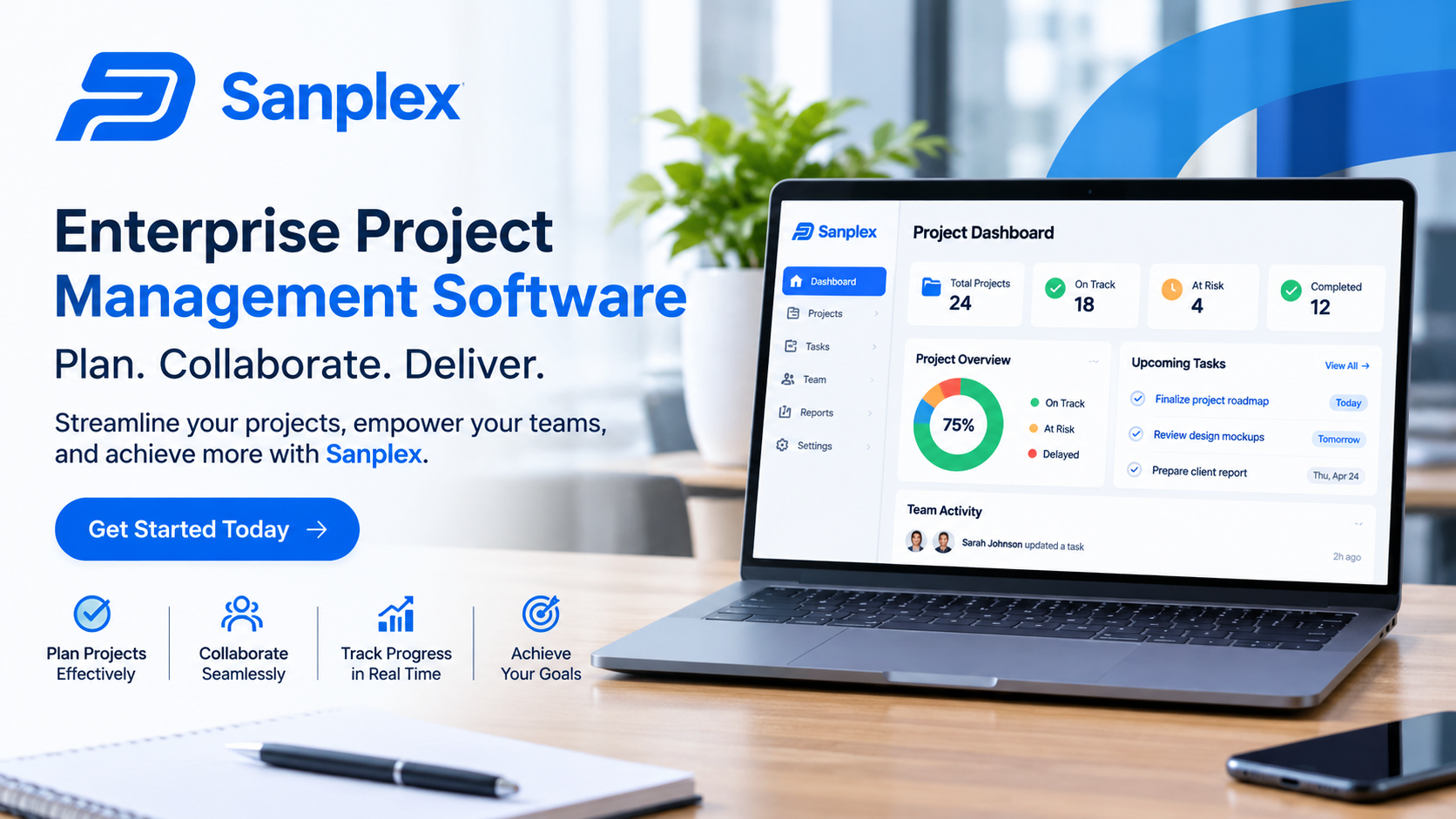
Managing projects across a large organization involves coordinating people, budgets, deadlines, and business priorities. When several departments work on different initiatives, keeping information organized and ensuring everyone follows the same objectives can become challenging. Enterprise Project Management Software helps businesses handle these responsibilities through a centralized system that connects project planning, execution, monitoring, and reporting.
Unlike basic task management applications, enterprise-level platforms are designed to support complex operations involving multiple teams and projects. They give managers a broader view of organizational activities while helping employees understand their responsibilities and deadlines. Businesses can use these systems to manage resources, identify potential delays, control project expenses, and evaluate performance.
For organizations handling several ongoing initiatives, choosing the right project management platform can make a significant difference. It provides the structure needed to coordinate work efficiently and maintain consistency as business operations expand.
2. Understanding Enterprise Project Management Software
Enterprise Project Management Software is a technology solution that enables organizations to manage projects, programs, and portfolios from a shared platform. It combines different project management activities, allowing managers to oversee work across departments without depending on disconnected spreadsheets or communication tools.
For example, a technology company may simultaneously develop a new product, upgrade its internal systems, improve cybersecurity, and expand its customer support operations. Each initiative requires different employees, budgets, and schedules. Enterprise software helps management coordinate these activities while maintaining visibility into their progress.
Enterprise Project Management vs. Basic Project Management
Basic project management applications usually concentrate on individual projects, task assignments, and team communication. Enterprise platforms provide broader organizational control.
Their capabilities commonly include:
-
Managing multiple projects and programs.
-
Allocating employees and other resources.
-
Tracking organizational budgets and expenses.
-
Monitoring project dependencies and risks.
-
Standardizing workflows across departments.
-
Measuring performance through centralized reports.
-
Connecting project priorities with business strategies.
This broader approach makes enterprise solutions useful for businesses where projects frequently overlap or depend on shared resources.
3. Essential Features of Enterprise Project Management Software
Before selecting a platform, businesses should understand the features that support effective project management.
Project Planning and Scheduling
Project planning tools allow managers to define objectives, establish milestones, assign tasks, and create schedules. Gantt charts and calendar views provide a clear picture of project timelines.
Dependency tracking is particularly useful when one activity cannot begin until another is completed. For instance, a construction project may require architectural approval before procurement and building activities can proceed.
Resource and Capacity Management
Resource management helps organizations understand how employees, equipment, and budgets are distributed across projects.
Managers can review workloads, identify scheduling conflicts, and determine whether additional resources are required. Capacity planning also helps prevent employees from being assigned more work than they can reasonably complete.
Workflow Automation
Many enterprise platforms support automated workflows for routine activities. These may include task notifications, approval requests, status updates, and recurring assignments.
For example, when a project manager submits a budget request, the system can automatically send it to the appropriate department for approval. Automation reduces manual follow-ups and helps maintain consistent procedures.
Financial Management
Financial management features help businesses compare estimated project costs with actual spending. Managers can monitor budgets, record expenses, and identify financial problems before they become difficult to control.
Some platforms also support forecasting, allowing organizations to estimate future resource requirements and potential cost overruns.
Reporting and Performance Dashboards
Dashboards present project information in an organized format. Managers can review completion percentages, upcoming milestones, resource utilization, and financial performance.
Different stakeholders can access reports based on their responsibilities. Senior executives may need an overview of the entire project portfolio, while team leaders require detailed information about individual assignments.
4. How Enterprise Project Management Software Supports Business Operations
The value of an enterprise platform extends beyond organizing tasks. It can improve coordination and provide better control over daily business activities.
Improved Cross-Department Collaboration
Large projects often require cooperation between finance, operations, marketing, engineering, and other departments. Without shared information, employees may work with outdated documents or misunderstand project priorities.
A centralized platform provides a common workspace where teams can access relevant updates, share files, discuss tasks, and review responsibilities.
Better Project Portfolio Management
Project portfolio management involves evaluating and overseeing multiple projects as a connected group.
Enterprise software helps management compare initiatives based on strategic value, expected costs, available resources, and potential risks. This makes it easier to prioritize important projects instead of distributing resources without considering their overall business impact.
More Effective Risk Management
Project risks can involve budget increases, resource shortages, technical problems, supplier delays, or changing requirements.
A structured management system helps teams record risks, assign responsibility, and monitor corrective actions. Early identification gives managers more time to respond before problems affect project delivery.
5. Practical Benefits and Key Insights
Using Enterprise Project Management Software effectively can deliver several measurable operational benefits.
Greater Accountability
When tasks have assigned owners, deadlines, and clear expectations, employees understand what they need to complete. Managers can monitor progress through system updates rather than relying entirely on meetings and manual reports.
Reduced Administrative Work
Automated notifications, recurring workflows, and centralized documentation reduce repetitive administrative activities. Teams can spend more time on project execution and less time coordinating routine updates.
Improved Budget Control
Centralized financial information helps managers identify differences between planned and actual expenses. This allows organizations to investigate unexpected costs and make adjustments before financial problems become serious.
Faster and More Informed Decisions
Accurate project information allows decision-makers to evaluate performance using current data. For example, if a department is consistently missing deadlines because of limited staffing, management can review resource allocation and make appropriate changes.
Consistent Project Management Standards
Organizations with multiple departments may follow different approaches to planning and reporting. Enterprise software can establish common templates, approval processes, and performance indicators.
Standardization makes it easier to compare projects and maintain consistent management practices.
6. Common Challenges When Implementing Enterprise Project Management Software
Despite its advantages, introducing a new platform across an organization requires preparation.
Employee Resistance
Employees may be comfortable with existing spreadsheets and communication methods. A new system can initially feel like additional work.
Businesses should explain the purpose of implementation, provide practical training, and involve employees in the transition process.
Poor Data Quality
Migrating information from older systems can introduce duplicate records, incomplete project details, and inconsistent formats.
Organizations should review existing data before transferring it. Establishing clear naming conventions and information standards can improve accuracy.
Integration Difficulties
Enterprise platforms often need to exchange information with accounting software, customer relationship management systems, document storage platforms, and communication applications.
Businesses should verify integration capabilities before purchasing software. Poor integration can create additional administrative work instead of reducing it.
Choosing Too Many Features
Some organizations select platforms based on the number of available features rather than their actual requirements.
A complicated system can make adoption difficult and create unnecessary processes. Businesses should begin with essential functions and introduce advanced capabilities as their needs develop.
7. How to Select the Right Enterprise Project Management Solution
Selecting suitable software requires evaluating both current operations and future business requirements.
Assess organizational needs: Identify existing project management problems and determine which capabilities would provide the greatest improvement.
Evaluate scalability: Choose a platform that can support additional projects, employees, departments, and workflows as the organization grows.
Review security controls: Examine access permissions, authentication, encryption, audit records, and data protection policies.
Compare integration options: Ensure the platform works with essential business applications to reduce disconnected information.
Calculate total ownership costs: Consider subscriptions, implementation, employee training, integrations, maintenance, and potential customization.
Test usability: Arrange demonstrations or trials so employees can evaluate the interface and understand how it supports their daily responsibilities.
The best solution is one that fits existing business processes while providing enough flexibility to accommodate future changes.
8. Frequently Asked Questions (FAQs)
1. What is Enterprise Project Management Software used for?
It is used to plan, coordinate, monitor, and manage multiple projects across an organization. It supports scheduling, resource allocation, financial tracking, reporting, and team collaboration.
2. Which businesses need enterprise project management tools?
Organizations managing several projects, departments, and shared resources can benefit from these platforms. They are particularly useful in technology, manufacturing, construction, healthcare, engineering, and professional services.
3. Can enterprise project management software manage multiple projects?
Yes. These platforms provide centralized project and portfolio management capabilities. Managers can monitor different initiatives, compare performance, identify dependencies, and allocate resources across projects.
4. Does enterprise project management software support automation?
Many platforms include workflow automation for notifications, approvals, task assignments, and recurring activities. The available automation options depend on the selected product and subscription.
5. What should businesses consider before purchasing enterprise project management software?
Businesses should evaluate functionality, scalability, ease of use, security, integration capabilities, customer support, implementation requirements, and total ownership costs.
9. Conclusion
Enterprise Project Management Software provides organizations with a structured way to manage complex projects and coordinate activities across multiple departments. By combining planning, scheduling, resource management, financial tracking, collaboration, and reporting, these platforms help businesses maintain better operational control.
However, purchasing software alone does not guarantee successful project delivery. Organizations must establish clear processes, maintain accurate information, train employees, and regularly evaluate performance.
A carefully selected platform can reduce administrative difficulties, improve resource utilization, and connect everyday project activities with broader business objectives. For growing organizations, this creates a stronger foundation for managing increasing workloads and delivering projects more consistently.
 French
 English
 Arabic
 Spanish
 Portuguese
 Deutsch
 Turkish
 Dutch
 Italiano
 Russian
 Romaian
 Portuguese (Brazil)
 Greek